

WinStartup v1.00 - Windows Startup Program Manager
Add or remove programs from Windows startup via the registry -- hidden from the Start Menu Startup group
Manage Windows Startup Programs via the Registry
WinStartup allows you to add or remove programs that are executed upon startup of Windows. Adding programs through WinStartup is completely hidden from the Start Menu Startup group, making it ideal for system administrators and power users who need startup entries that are not visible to end users.
WinStartup works directly with the Windows registry Run and RunOnce keys. It includes full command line support, so you can add programs that require specific command line options to launch correctly. View, add, edit, and delete startup entries from a simple interface.
Who Is This For?
Key Features
Fully Portable -- Zero Installation





Tips
Windows Compatibility
 Win 11
 Win 10
 Win 8
Win 8
 Win 7
Win 7
 Vista
Vista
 XP
XP
 Win 2k
 NT
NT
 ME
ME
 98
98
 95
95
Screenshots
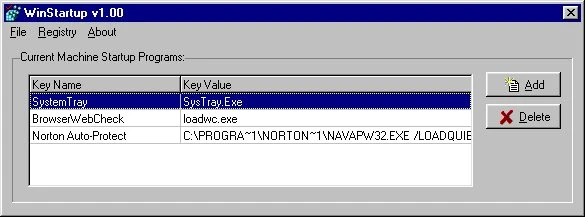
Main screen where you can view, add, edit, and delete Windows startup registry entries.
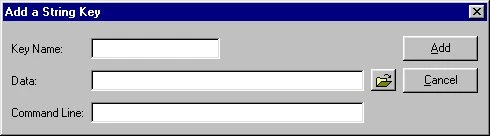
Add or edit command-line programs to be launched at Windows startup, including full command-line argument support.
Version History
Initial version.
Download WinStartup
 Download v1.00
You Might Also Like

Command-line utility that shuts down, restarts, logs off, or powers off Windows. Works in login scripts and batch files.
Learn More
Command-line utility that delays program launches by a specified number of seconds. Set wait time, file path, and window state.
Learn MoreSupport WinStartup Development
WinStartup is completely free. If this tool has saved you time, consider making a donation to help fund continued development and new features.
Support and Information
Find answers to common questions about WinStartup.
View FAQFound a bug or have a question? We are here to help.
Contact UsTo uninstall, simply delete the program folder. No registry entries or system files are left behind.
Download the latest version and extract over your existing folder, or to a new location. Settings are preserved.